
A password manager should generate unique passwords, encrypt the vault, support strong multifactor authentication and work across every device and browser you actually use. Passkey support now belongs on the baseline checklist. So do export tools: a trustworthy service should not trap your data.
- 1Password — best overall: polished apps, strong family sharing and a useful Secret Key architecture. It is especially good for households and people who move between several platforms, but there is no permanent free tier.
- Bitwarden — best value: an open-source option with an unusually capable free plan and broad platform support. The interface is less guided than 1Password’s, but the fundamentals are strong.
- Proton Pass — best for privacy-focused users: a strong fit for people already using Proton services, with email aliases and a practical free tier. Its newer ecosystem may feel less mature in some advanced workflows.
- Keeper — best for administrative control: detailed policy, sharing and business features with broad device support. Some monitoring and storage features may require additional payment.
- NordPass — easiest for newcomers: a clean interface and straightforward onboarding. Review device limits and renewal pricing for the exact plan before committing.
- Dashlane — best for guided security monitoring: approachable health and breach features, especially for users who want prompts to improve weak credentials. It is often one of the more expensive choices.
Security features matter, but successful adoption matters more: every reused password left outside the vault remains a weakness.
How to choose
Start with platform support, then test autofill on your five most important sites. Check how the service handles passkeys, shared vaults, emergency access and recovery. Families should examine what happens when a member leaves the plan. Businesses need audit logs, role controls and offboarding more than decorative dashboards.
Turn on multifactor authentication for the password manager itself and store its recovery information somewhere separate and secure. Move accounts in batches, beginning with email, banking, cloud storage and social platforms. Replace reused passwords as you go rather than merely importing them.
Pricing changes frequently and promotional rates can hide a higher renewal cost. Compare annual renewal totals, not the first month. This ranking does not include affiliate purchase links; if commercial links are added later, they should be clearly disclosed without changing the editorial order.
Understand the security model
A password manager encrypts the vault before it leaves the device, but architecture and recovery choices still vary. Read the provider’s security documentation for encryption, key derivation, independent audits and breach history. A service can suffer an incident without exposing decrypted vaults, yet the response should still explain what happened and what users must do.
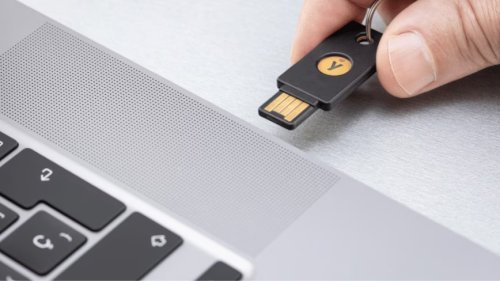
The master password is part of the security model. Make it long, unique and memorable enough to enter accurately. Protect the account with a hardware security key or authenticator app when supported. Store recovery codes offline in a location that trusted household members can reach if appropriate.
Test autofill before migrating everything
Install the browser extension and mobile app, then test five important services: email, banking, shopping, work and one site with a difficult sign-in flow. Confirm that the manager saves new credentials, fills the correct domain and does not paste passwords into unrelated fields. On mobile, check both browser and in-app autofill.
A good manager should recognize sign-up forms, generate a strong password and store it without losing the page state. It should also let you view and edit the saved web address. Autofill is partly a security feature because it can refuse a credential when the domain does not match.
Migrate in controlled stages
Export from the old manager only when you are ready to import immediately. Export files are often unencrypted, so keep them on a trusted device, verify the import and securely delete the file when finished. Do not email the export to yourself or leave it in a downloads folder synchronized broadly.
Start with high-impact accounts: primary email, financial services, cloud storage, mobile carrier and social platforms. Replace reused passwords with generated ones and confirm each change before moving on. A temporary checklist is safer than trying to complete hundreds of accounts in one sitting.
Plan recovery before you need it
Ask what happens if you forget the master password, lose every signed-in device or become unavailable to your family. Some services use emergency contacts, recovery keys or organization administrators; others intentionally cannot restore access. None is universally correct, but the consequence must be understood.
Document the service name, recovery method and location of backup codes without writing down the master password in an exposed place. Review the plan after changing phones or authentication apps. Recovery that was tested once and forgotten may fail when device lists or family roles have changed.
Choose family and business features carefully
Families need private vaults, shared collections and a clear process when a member leaves. Shared credentials should belong to a shared area rather than one person’s personal vault. Businesses need centralized policy, role-based access, audit events, offboarding and support for identity systems.
A dashboard cannot compensate for weak adoption. Teams should know how to report a suspicious autofill, transfer ownership and remove access promptly. The best password manager is the one that combines sound encryption with workflows people can follow under pressure.
Reassess once a year
Review renewal cost, device support, export capability, passkey progress and any security incidents. Test restoring access on a new device before retiring the old one. Remove obsolete accounts and rotate credentials that were exposed or shared improperly.
Changing managers has a cost, so do not chase minor feature differences. Move when the current service no longer supports essential platforms, raises unacceptable trust concerns or creates enough friction that people stop using it. Consistent unique credentials remain more valuable than a perfect ranking.
Why this matters
A password manager concentrates risk in order to reduce a larger, messier risk: reused and weak credentials across many accounts. The product is not a magic shield; it is infrastructure for unique passwords, recovery planning and increasingly passkeys. Choosing one well can remove dozens of silent vulnerabilities from ordinary life.
How we got here
People were asked to remember more secrets than human memory can manage, so reuse became rational behavior under a bad system. Managers centralized storage, then browsers and operating systems built similar functions into everyday devices. The next transition is toward passkeys, but passwords and recovery codes will coexist for years.
Who benefits, who loses and what critics say
Individuals, families and small teams gain the largest security improvement per unit of effort. Providers gain sensitive trust, making breaches and business failure unusually consequential. Critics worry about a single point of failure; that is valid, but a well-protected vault with a strong master credential and recovery plan is usually safer than repeating a handful of memorable passwords.
What the comparison should measure
Feature counts matter less than import quality, platform support, breach history, independent audits and account recovery. A free tool that works on every device may outperform a feature-rich paid one people stop using. The practical metric is the percentage of accounts moved to unique credentials and stronger authentication, not the number of dashboard options.
What happens next
Passkey support will become a decisive differentiator, but portability and recovery will determine whether users trust the transition. Consolidation may improve convenience while raising platform lock-in. The strongest services will let users export data, explain incidents plainly and recover access without weakening encryption for everyone.
Comparison source: Features, platform coverage and current plan structures were cross-checked against TechRadar’s 2026 password-manager guide. Verify current prices and terms on each provider’s site before subscribing.